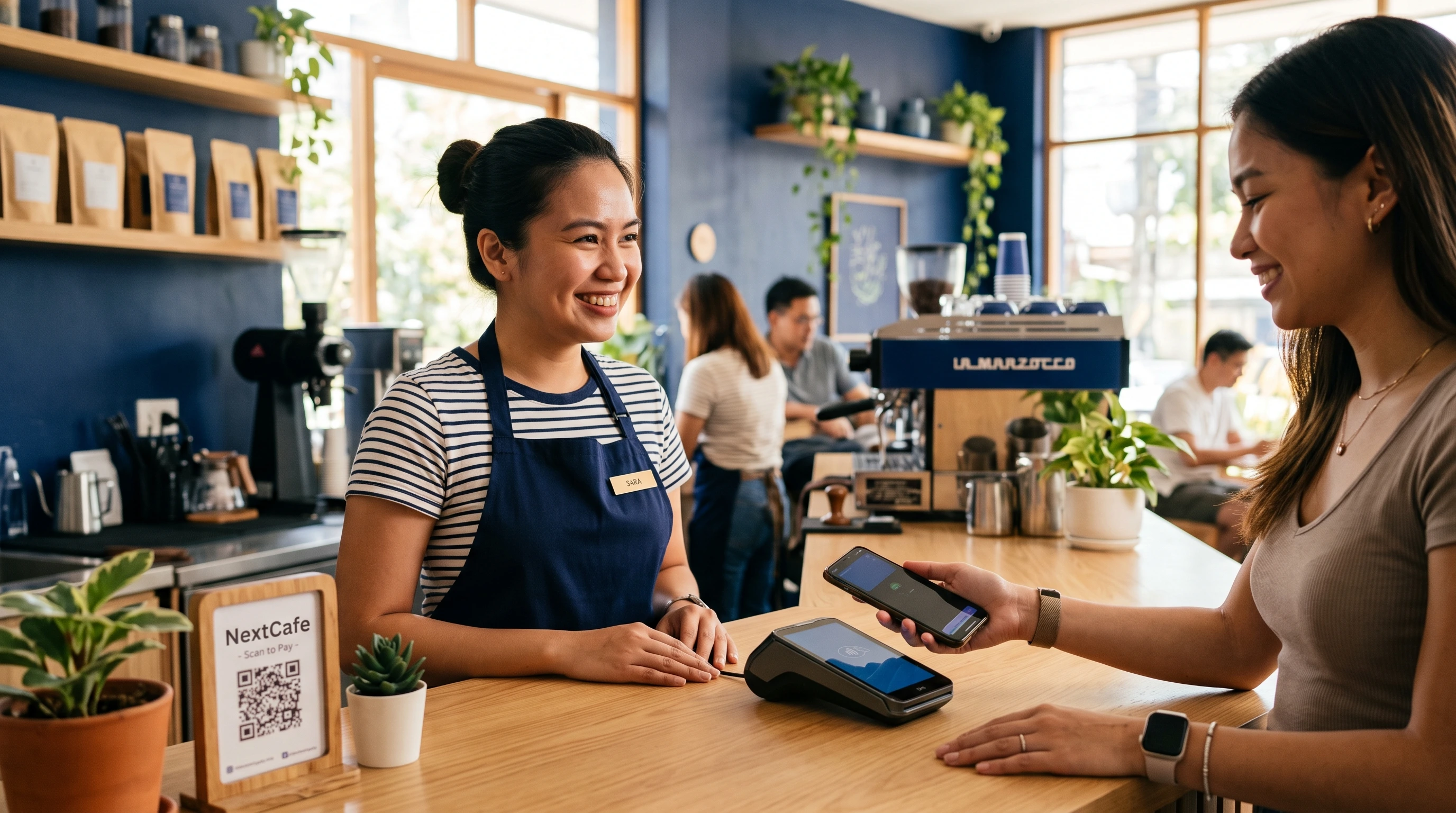
Apple Pay went live in the Philippines on August 4, 2026. Google Pay has been here since November 2025. The launch coverage makes it sound like a new way to pay has arrived, but for most people and businesses, less changes than the headlines suggest. Each is a faster front door to a card you probably already have. This guide explains what they actually are, how a phone tap works, and where they fit alongside QR Ph, GCash, and cards.
A device wallet is a tokenized copy of your existing Visa or Mastercard, riding the same card networks. It is not a new payment rail. If your terminal already accepts contactless cards, it already accepts Apple Pay and Google Pay.
Apple Pay and Google Pay, Side by Side
Apple Pay and Google Pay arrived at different times, Google Pay in November 2025 and Apple Pay in August 2026, and they are easy to conflate.
Apple Pay launched on August 4, 2026 with four banks: Chinabank, GoTyme, Metrobank, and UnionBank. Apple has said more banks are coming. It works on iPhone, Apple Watch, iPad, and Mac.
Google Pay (through Google Wallet) has been live since November 18, 2025, with a wider set of issuers, including GCash, Maya, BPI, RCBC, PNB, and others. It works on NFC-enabled Android phones, Wear OS watches, and Fitbit devices.
| Apple Pay | Google Pay | |
|---|---|---|
| Live in PH since | August 2026 | November 2025 |
| Works on | iPhone, Apple Watch, iPad, Mac | Android phones, Wear OS, Fitbit |
| Launch banks | Chinabank, GoTyme, Metrobank, UnionBank | GCash, Maya, BPI, Chinabank, RCBC, PNB, and more |
| Cards | Visa and Mastercard (debit, credit, prepaid) | Visa and Mastercard (debit, credit, prepaid) |
The practical difference most people care about is which one supports their bank. Google Pay currently covers more issuers; Apple Pay started with four and is expanding. If your bank is on only one list, your phone usually decides the rest: Apple Pay is iPhone only; Google Pay is Android only.
How Tap-to-Pay Works, and Why It Isn’t a New Rail
A phone tap stacks three things: NFC carries the signal between your phone and the terminal, EMV sets the security rules, and tokenization swaps your real card number for a one-time code. Keeping them separate makes the whole thing easy to follow.
NFC is the wireless link. It is the short-range radio that lets your phone and the payment terminal talk when you hold them close. It does not “process” anything on its own.
EMV is the rulebook. It is the same chip-card security standard that governs a tapped or inserted card, layered on top of the NFC link.
Tokenization is the part that matters most. When you add a card to Apple Pay or Google Pay, your real card number is replaced by a device-specific token (Apple calls it a Device Account Number, Google a Device PAN). The merchant never sees your actual card number, and each tap is signed with a one-time code that is useless if intercepted. Apple stores that token in a dedicated hardware chip called the Secure Element; Google uses a software approach called Host Card Emulation. Either way, unlocking it takes your face, fingerprint, or passcode.
Here is the key point for anyone trying to understand where this fits. A device wallet is a tokenized copy of your existing Visa or Mastercard. The money still moves over the card networks, the same way it does when you tap a physical card. Nothing about Apple Pay or Google Pay creates a new path for money to travel. Compare that to QR Ph, which moves money directly between bank and e-wallet accounts over InstaPay. That is a genuinely different rail. Device wallets are a nicer front-end; QR Ph is a different road underneath.
Where Device Wallets Sit Among the Ways Filipinos Pay
Device wallets are one of a handful of ways Filipinos pay, and what separates each is the rail underneath. Once you see a device wallet as a front-end for a card, the wider shift to digital payments lines up cleanly.
| Method | Underlying Rail | Hardware To Accept | Who Pays The Fee | Reaches Which Phones |
|---|---|---|---|---|
| Apple Pay / Google Pay | Card networks (Visa, Mastercard) | An NFC card terminal | Merchant (card rate) | iPhone or Android only |
| Physical contactless card | Card networks (Visa, Mastercard) | An NFC card terminal | Merchant (card rate) | Any (no phone needed) |
| QR Ph | InstaPay (account to account) | A QR code | Merchant (usually lower than card) | Any phone with a bank or wallet app |
| GCash / Maya | Wallet balance, riding InstaPay | A QR code or wallet integration | Merchant | Any phone with the app |
| InstaPay / PESONet | The bank rails themselves | A bank or payout tool | Sender or business | Any (bank transfer) |
A few things fall out of this table. Apple Pay, Google Pay, and a tapped physical card are the same transaction to a merchant: a card payment. GCash and Maya are wallets that ride InstaPay behind the scenes. And QR Ph, the method most Filipino businesses already lean on, sits on a different rail than the card networks, which is why it usually costs a merchant less to accept. It also reaches further on the acceptance side: card taps work only where an NFC terminal already exists, mostly malls and larger chains, while a QR Ph or GCash code works for the smallest sari-sari store or market stall. InstaPay and PESONet sit underneath as the bank rails themselves, InstaPay clearing everyday amounts in real time and PESONet settling larger transfers in same-day batches.
What It Means If You Run a Business
For most merchants, the short answer is: not much, and that is good news.
You probably already accept them. If your terminal takes contactless Visa and Mastercard, it already accepts Apple Pay and Google Pay. There is no separate switch to flip, no new contract, no new hardware. A phone tap arrives as an ordinary card payment.
They cost what a card costs. Because a device-wallet tap is a card transaction, it carries your card processing rate, which for most providers is higher than the rate on a QR Ph payment. Exact rates vary by provider and card type, so check yours rather than assuming a single number.
Reach is the real limit. Apple Pay works only on iPhones, and Google Pay only on Android, in a market where GCash and QR Ph reach almost any phone. So device wallets add convenience for a slice of your customers; they do not replace QR Ph as your widest-reaching option.
If you would rather accept a card tap, a phone tap, and a QR Ph scan on one device, and see all three reconcile against your sales instead of in separate reports, that is the job NextTerminal is built for. It takes device-wallet taps, physical contactless cards over NFC, and QR Ph on one terminal, then reconciles them into a connected cloud POS, with one dashboard across every branch.
Is Tapping Safe?
Generally, a tap is safer than a swipe or a dip. Tokenization means the merchant, and anyone who might breach the merchant, never receives your real card number. Each tap is a one-time code, so a captured transaction cannot be replayed. Unlocking the wallet requires your face, fingerprint, or passcode. And if you lose the phone, you can suspend its cards remotely through Find My or your device account without canceling the card itself. Tokenization does not stop you from being talked into approving a payment, so ordinary caution still applies, but the mechanics of the tap itself are strong.
Device wallets are a faster, safer front-end on the card rails you already use, not a new payment network. For most businesses, acceptance is already handled at the terminal, and QR Ph and GCash remain the widest-reaching ways to get paid.
Frequently Asked Questions
Is Apple Pay Available in the Philippines Now, and Which Banks?
Yes. Apple Pay launched on August 4, 2026 with Chinabank, GoTyme, Metrobank, and UnionBank, and Apple has said more banks are coming. Eligible Visa and Mastercard debit, credit, and prepaid cards from those banks can be added.
Is Apple Pay the Same as GCash?
No. GCash is an e-wallet that holds a balance and moves money over InstaPay. Apple Pay does not hold money; it is a secure way to use your existing card, and the payment travels over the Visa or Mastercard networks. They can coexist on the same phone.
Do Apple Pay and Google Pay Cost My Business More Than QR Ph?
Usually, yes. A device-wallet tap is billed as a card transaction, and card rates are typically higher than QR Ph rates, which ride the account-to-account InstaPay rail. The exact figures depend on your provider, so confirm your own rates.
Is Tap-to-Pay Safe?
Yes. Your real card number is replaced by a device token that the merchant never sees, each tap uses a one-time code, and paying requires your face, fingerprint, or passcode. A tap is generally more secure than a physical swipe.
Does Tap-to-Pay Work Without Internet?
Usually, yes. The card token and the one-time code for a tap are generated on your device, so a payment at the counter can go through even if your phone has no signal. Your bank settles the transaction once a connection is available. Very old or offline terminals can be the exception, so it is not guaranteed everywhere.
Apple Pay vs Google Pay: Which Supports My Bank?
Google Pay currently supports a wider list of Philippine issuers, including GCash, Maya, and BPI. Apple Pay launched with four banks and is expanding. In practice your device often decides for you, since Apple Pay runs only on Apple hardware and Google Pay only on Android.
Does My Business Need to Do Anything to Accept Them?
If your terminal already accepts contactless Visa and Mastercard, no. Apple Pay and Google Pay arrive as ordinary card taps. If you do not yet accept card taps or QR Ph, that is the real decision to make, and it is worth weighing both together.